


vBulletin 5.6.3 Changes and Updates
vBulletin 5.6.3 now available for download customers. Cloud customers will be automatically upgraded in the coming weeks.
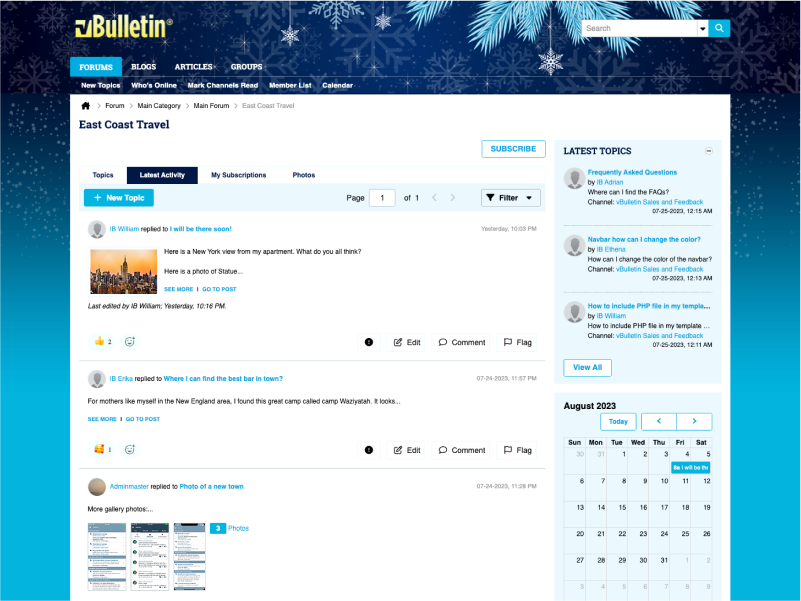
Front End Changes
Censored Word Handling
The handling of administrator-defined censoring has been refactored and applies to more locations now. With vBulletin 5, word censorship is applied on display and not save. This provides the benefit of maintaining the actual words. For example, if you remove a word from the censor list, it can be recovered in the content. In the past, several locations of word censorship were not appropriately handled. Words are now censored correctly in the following areas:
Topic Titles.
Topic URLs.
Post content, including replies and comments.
Search Results.
User Profile Status.
Tags
Improved the ability to search for posts by indexing tags as keywords. This change will allow for tag searching using the simple search box in the header of every page.
Improved the handling of tag synonyms on the new topics. Previously, when a tag is automatically converted to a synonym, an error dialog would display and break the workflow. This would give the appearance that the post had not been saved. The display of this message has changed. Now the message will display at the top of the screen for five seconds. The new message display does not disrupt the workflow when creating new topics.
Ignored User Handling
We have updated the caching of ignored users. This change will allow the ignored user functionality to work as designed in topic lists, topic display, and searches. There is still a known issue where the ignored user will continue to appear in the "Last Post" information box of a topic list.
Additional Issues
Administrators can edit a user's status by visiting the user's profile page.
Moderator Notifications are now marked auto-read when visiting the topic.
Resolved a layout issue with the user information in a post and using RTL Languages.
Custom Icons now display for sub-forums in the forum list.
Latest Activity searches should now correctly display topics created before the lookback period.
Added a style variable for the "Mark Channels Read" phrase.
Back End / AdminCP Changes
Phrase Censoring / Monitoring
In addition to the visual changes on the front-end, you can now censor phrases if you wish. You would do this by surrounding the words with braces - {}. An example would be {brown ***}. This formatting will censor the phrase brown *** but not the words brown and *** individually.
The Word Monitoring and User Title Censorship options also support phrase handling.
Option Groups
vBulletin 5 has a large number of settings within the AdminCP. From time to time, we review these options and remove those that are no longer needed. We have combined the Content Management and Blog groups with the Channel Management group. Unused options have been removed from the Message Attachment and the Channel Display groups.
Additional Issues
Resolved an issue that could prevent Private Messages from being deleted when using Node Tools.
A misspelled function name could prevent RSS Scheduled tasks from running.
Improved the navigation of the AdminCP to accommodate longer phrase translations.
Consolidated several phrases for "Groups."
vBulletin 5.6.3 now available for download customers. Cloud customers will be automatically upgraded in the coming weeks.
Front End Changes
Censored Word Handling
The handling of administrator-defined censoring has been refactored and applies to more locations now. With vBulletin 5, word censorship is applied on display and not save. This provides the benefit of maintaining the actual words. For example, if you remove a word from the censor list, it can be recovered in the content. In the past, several locations of word censorship were not appropriately handled. Words are now censored correctly in the following areas:
Topic Titles.
Topic URLs.
Post content, including replies and comments.
Search Results.
User Profile Status.
Tags
Improved the ability to search for posts by indexing tags as keywords. This change will allow for tag searching using the simple search box in the header of every page.
Improved the handling of tag synonyms on the new topics. Previously, when a tag is automatically converted to a synonym, an error dialog would display and break the workflow. This would give the appearance that the post had not been saved. The display of this message has changed. Now the message will display at the top of the screen for five seconds. The new message display does not disrupt the workflow when creating new topics.
Ignored User Handling
We have updated the caching of ignored users. This change will allow the ignored user functionality to work as designed in topic lists, topic display, and searches. There is still a known issue where the ignored user will continue to appear in the "Last Post" information box of a topic list.
Additional Issues
Administrators can edit a user's status by visiting the user's profile page.
Moderator Notifications are now marked auto-read when visiting the topic.
Resolved a layout issue with the user information in a post and using RTL Languages.
Custom Icons now display for sub-forums in the forum list.
Latest Activity searches should now correctly display topics created before the lookback period.
Added a style variable for the "Mark Channels Read" phrase.
Back End / AdminCP Changes
Phrase Censoring / Monitoring
In addition to the visual changes on the front-end, you can now censor phrases if you wish. You would do this by surrounding the words with braces - {}. An example would be {brown ***}. This formatting will censor the phrase brown *** but not the words brown and *** individually.
The Word Monitoring and User Title Censorship options also support phrase handling.
Option Groups
vBulletin 5 has a large number of settings within the AdminCP. From time to time, we review these options and remove those that are no longer needed. We have combined the Content Management and Blog groups with the Channel Management group. Unused options have been removed from the Message Attachment and the Channel Display groups.
Additional Issues
Resolved an issue that could prevent Private Messages from being deleted when using Node Tools.
A misspelled function name could prevent RSS Scheduled tasks from running.
Improved the navigation of the AdminCP to accommodate longer phrase translations.
Consolidated several phrases for "Groups."